Building the Future: How the Genesis Mission Merges AI and Energy Leadership
Overview
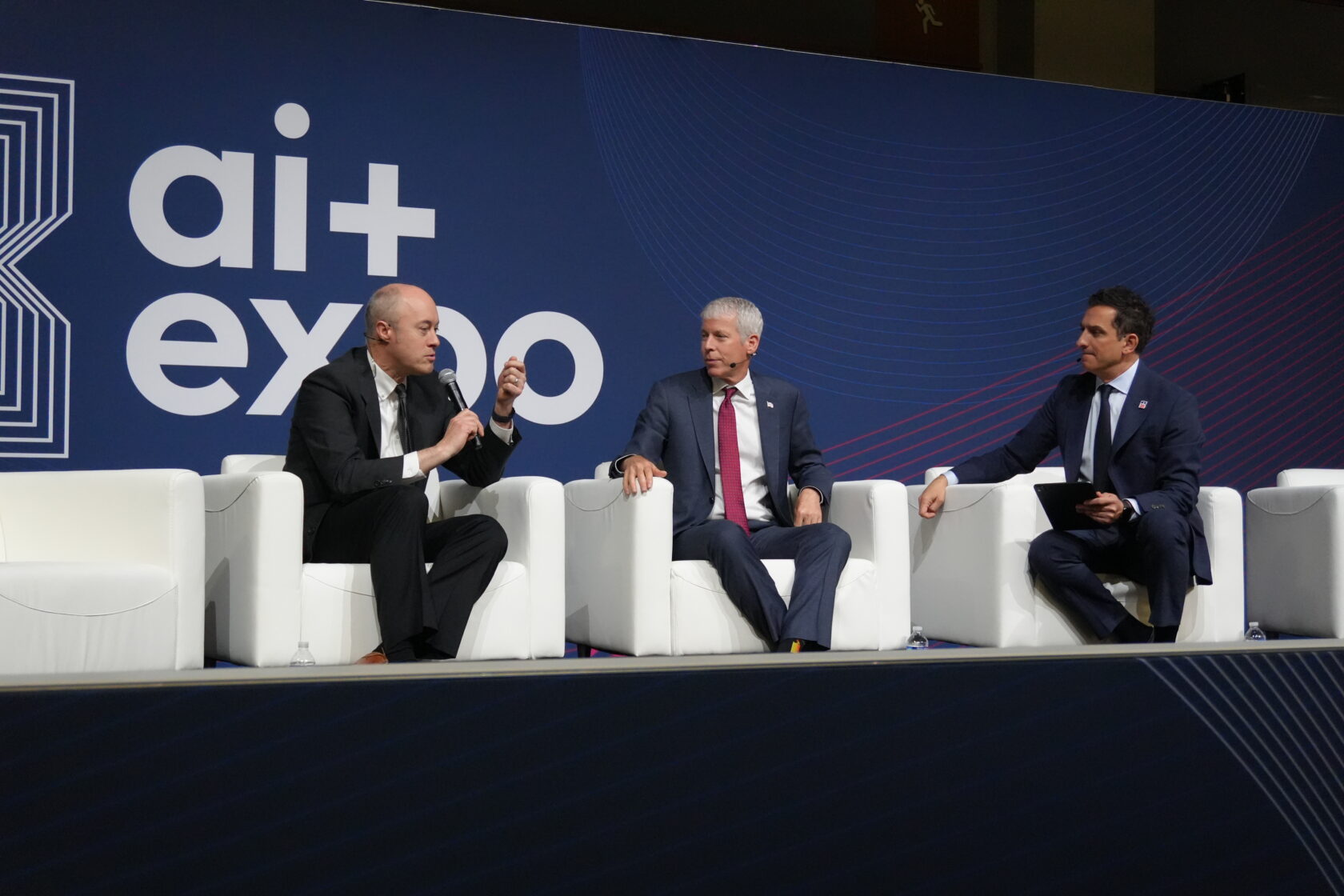
At the SCSP AI+ Expo, U.S. Energy Secretary Chris Wright and NVIDIA’s Ian Buck outlined a vision where American leadership in artificial intelligence is inseparable from energy innovation. Their conversation centered on the Genesis Mission—a U.S. Department of Energy (DOE) initiative to accelerate scientific discovery using AI. This tutorial explores the collaboration between DOE and NVIDIA, the technical underpinnings of the mission, and how you can understand or contribute to similar AI-for-energy projects.
We’ll break down the key components: the partnership model, the massive AI supercomputers being built, and the specialized AI models that will transform energy research. By the end, you’ll grasp not just the what, but the how—and even see how open-source AI tools can be adapted for energy challenges.
Prerequisites
To follow this guide conceptually, you’ll need:
- Basic understanding of AI/ML – Familiarity with training models, neural networks, and GPU acceleration.
- Interest in energy systems – Knowledge of fusion energy or grid optimization is helpful but not required.
- Access to a computing environment – Optionally, you can run simplified code examples on a local machine or cloud (e.g., Google Colab) to practice.
- Curiosity about open-source AI – We’ll reference models that are publicly available.
Step-by-Step Guide to Understanding the Genesis Mission
Step 1: Understand the DOE–NVIDIA Partnership Model
The Genesis Mission pairs the DOE’s 17 national labs, scientists, and national-scale problems with NVIDIA’s full-stack AI capabilities. This isn’t just about hardware; it’s about co-development of algorithms, methods, and models over 20 years. In practice, this means:
- DOE provides domain expertise, data from experiments, and real-world constraints.
- NVIDIA provides GPUs, system design, and AI software stacks (e.g., NVIDIA CUDA, TensorRT, and open-source models).
This symbiotic relationship ensures that AI solutions are both cutting-edge and practical for energy applications.
Step 2: Explore the AI Supercomputers – Equinox and Solstice
Two AI supercomputers are being built at Argonne National Laboratory:
- Equinox – Currently being stood up with 10,000 NVIDIA Grace Blackwell GPUs. It uses the same GPU and software stack used for today’s leading AI training.
- Solstice – Planned with 100,000 GPUs based on the next-generation NVIDIA Vera Rubin architecture. Buck stated this machine will deliver 5,000 exaflops—five times the combined performance of the entire TOP500 supercomputer list.
These machines are dedicated to scientific discovery. Unlike commercial AI clusters, they are open to researchers worldwide through DOE’s allocation programs.
Step 3: Understand How AI Models Are Tailored for Science
NVIDIA and DOE create specialized AI agents. For example, an open-source model was trained on 1.5 million physics papers and then fine-tuned on 100,000 papers about fusion energy. The result: a domain-specific AI that DOE researchers can query to accelerate their work.
Here’s a simplified pseudocode example showing the training pipeline (conceptual):
# Pseudocode for domain-specific model training
base_model = load_pretrained('llama2')
# Step 1: Train on general physics corpus
physics_data = load_corpus('physics_papers_1.5M')
model = fine_tune(base_model, physics_data, epochs=3)
# Step 2: Fine-tune on fusion papers
fusion_data = load_corpus('fusion_papers_100k')
model = fine_tune(model, fusion_data, epochs=5)
# Step 3: Create interactive agent
agent = QueryAgent(model)
answer = agent.ask('What is the triple product for ITER?')
Real implementations use frameworks like NVIDIA NeMo for distributed training on the supercomputers.
Step 4: Recognize the Full Stack Approach
NVIDIA’s Ian Buck emphasized that the company brings more than chips: algorithms, system software, and years of collaboration. The same building blocks powering today’s AI (e.g., transformers, diffusion models) are being applied to energy problems—fusion reactor design, grid optimization, battery materials discovery.
For developers, this means you can reuse existing AI libraries (PyTorch, TensorFlow) with NVIDIA-optimized containers (e.g., NVIDIA GPU Cloud) to start experimenting. Example Docker command:
docker pull nvcr.io/nvidia/pytorch:24.01-py3
# Run a simple training script on a GPU
nvidia-smi  # verify GPU availability
Step 5: Learn from Real-World Applications
The Genesis Mission includes projects like using AI to:
- Accelerate fusion energy – Predicting plasma behavior from simulation data.
- Optimize renewable integration – Forecasting wind/solar output at grid scale.
- Discover new materials – For batteries or solar cells using generative models.
To get hands-on, explore the open-source model (if available) or try a smaller physics dataset from Hugging Face.
Common Mistakes
- Underestimating data quality – Training on 1.5M papers is useless if they are poorly curated. Always clean domain-specific data.
- Ignoring hardware constraints – Fine-tuning a large model requires thousands of GPUs; don’t attempt on a single laptop without quantization.
- Overlooking partnership dynamics – Simply buying GPUs doesn’t replicate the DOE model. Domain experts must be embedded in the AI development cycle.
- Neglecting reproducibility – Open-source models and datasets are key for scientific validation. Always release code and data.
Example: Fine-Tuning a Small Language Model on Energy Abstracts
For educational purposes, here’s a small-scale script using Hugging Face transformers (requires GPU):
from transformers import AutoModelForCausalLM, AutoTokenizer, Trainer, TrainingArguments
import datasets

model_name = "distilgpt2"
tokenizer = AutoTokenizer.from_pretrained(model_name)
model = AutoModelForCausalLM.from_pretrained(model_name)

# Load a small dataset of energy abstracts (example)
data = datasets.load_dataset("energy_abstracts", split="train")

def tokenize(batch):
    return tokenizer(batch["text"], truncation=True, padding=True)

tokenized = data.map(tokenize, batched=True)

training_args = TrainingArguments(
    output_dir="./results",
    per_device_train_batch_size=4,
    num_train_epochs=3,
    fp16=True
)

trainer = Trainer(
    model=model,
    args=training_args,
    train_dataset=tokenized
)

trainer.train()
Note: This is a toy example. Real Genesis models use billions of parameters and distributed training across hundreds of GPUs.
Summary
The Genesis Mission demonstrates how strategic partnerships, massive compute, and domain-specific AI can accelerate energy research. By combining DOE’s scientific challenges with NVIDIA’s technology stack, the U.S. aims to maintain leadership in both AI and energy. Developers can contribute by creating open-source tools, engaging with national labs, or experimenting with smaller-scale energy AI projects. The key takeaway: AI will help build the energy it needs—but only through collaborative, full-stack thinking.